Wall Art Mockup Generator
Show your art on a real wall, at true scale — the one thing a flat scan can never do.

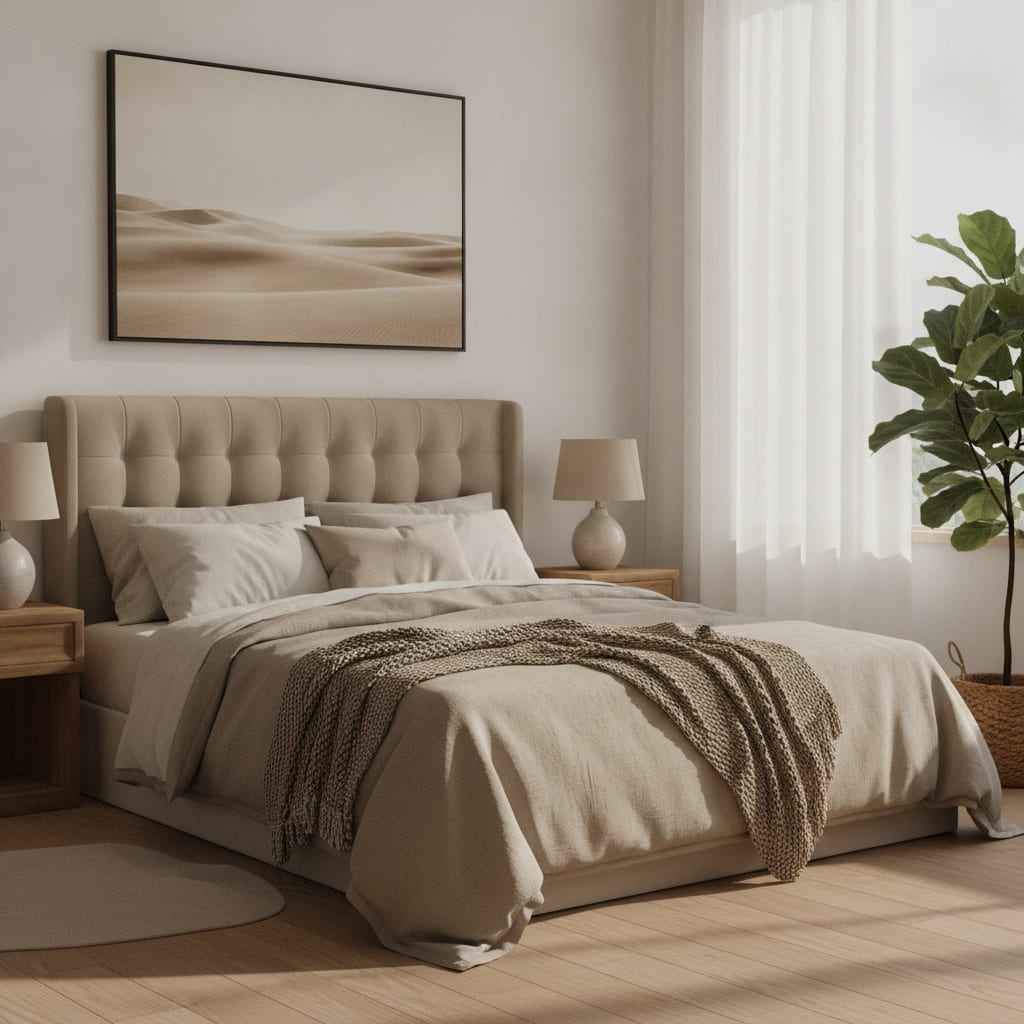
A flat scan of your artwork tells a buyer what the image is. It does not tell them what it would feel like on their wall — the size, the frame, the way light falls across it in a real room. That gap is where sales are lost, because people buy wall art by imagining it hanging in their space. MockupWall closes the gap: upload your art, pick an interior, and the app places it on the wall with correct lighting, shadow, and proportions.
Because you enter the artwork’s real dimensions, the mockup shows it at true scale — a small print reads small, an oversized canvas reads oversized — so the image sets the right expectation instead of guessing. Choose from thousands of ready scenes or upload a photo of your own wall, add a frame and mat, and export a high-resolution image for your shop, listing, or feed.
Why MockupWall
True-to-scale, in context
Enter the real size and the art appears at the right proportions in the room, so buyers can judge how it fits their space.
Real frames, shadows, and light
The app adds a frame, mat, and natural shadow, and matches the scene’s lighting — not a flat paste onto a stock photo.
Thousands of scenes or your own wall
Pick from a large library of interior scenes, or upload a photo of a real wall to place art exactly where it will hang.
How It Works
Add your artwork
Upload or photograph your art, print, or poster and enter its real dimensions so the scale stays accurate.
Pick a scene
Choose from thousands of interior scenes — or upload your own wall — and set the frame, mat, and edge color.
Export & sell
The app matches lighting and shadow for a photoreal result. Export a high-resolution image for your shop, listing, or feed.
Frequently Asked Questions
How do I make a wall art mockup?
Upload a photo of your artwork, enter its real dimensions, and choose an interior scene (or upload your own room photo). MockupWall places the art on the wall with a frame, shadow, and correct scale, then exports a high-resolution image.
Will the size look accurate?
Yes. Because you enter the artwork’s real dimensions, it is placed at true scale within the scene, so a 12×16 print and a 40×60 canvas look as different on the wall as they would in person.
Can I use my own room or wall?
Yes. You can upload a photo of your own wall and place the artwork on it, which is useful for commissions and for showing a specific client how a piece will look in their space.
Is it free?
The app is free to download and lets you create mockups before paying. A subscription unlocks unlimited mockups and all scenes. It runs on iPhone and iPad.
Guides
- How to Photograph Your Art for Prints and MockupsEvery mockup and print starts with one photo of the artwork. Get that photo right and everything downstream looks better — here’s how.
- How to Make Wall Art Mockups Without PhotoshopBuyers purchase art they can picture on a wall. Here’s how to turn a flat print file into an in-room mockup at true scale — from your phone, in minutes.
- What Size Should Wall Art Be? A Simple GuideToo small and the art looks lost; too big and it overwhelms. Here’s the simple proportion rule — and how to see the right size on your wall before you buy or hang.
See Your Art ON THE WALL
Free to download · iPhone & iPad